Geomagic Control X
Streamlined 3D Inspection with Automated Workflows

A powerful scan vs CAD inspection platform built for production environments. Automate GD&T analysis, deviation checks, and inspection routines with confidence.

Why Control X?

  • Comprehensive 3D inspection solution – Instantly align scans to CAD, evaluate deviations, and generate inspection reports.
  • Designed for automation – Set up workflows once; new parts flow through scan → save → auto-inspect → report.
  • Scalable & shop-floor ready – Handle large datasets, multiple scanners or arms, and allow users across departments to contribute.
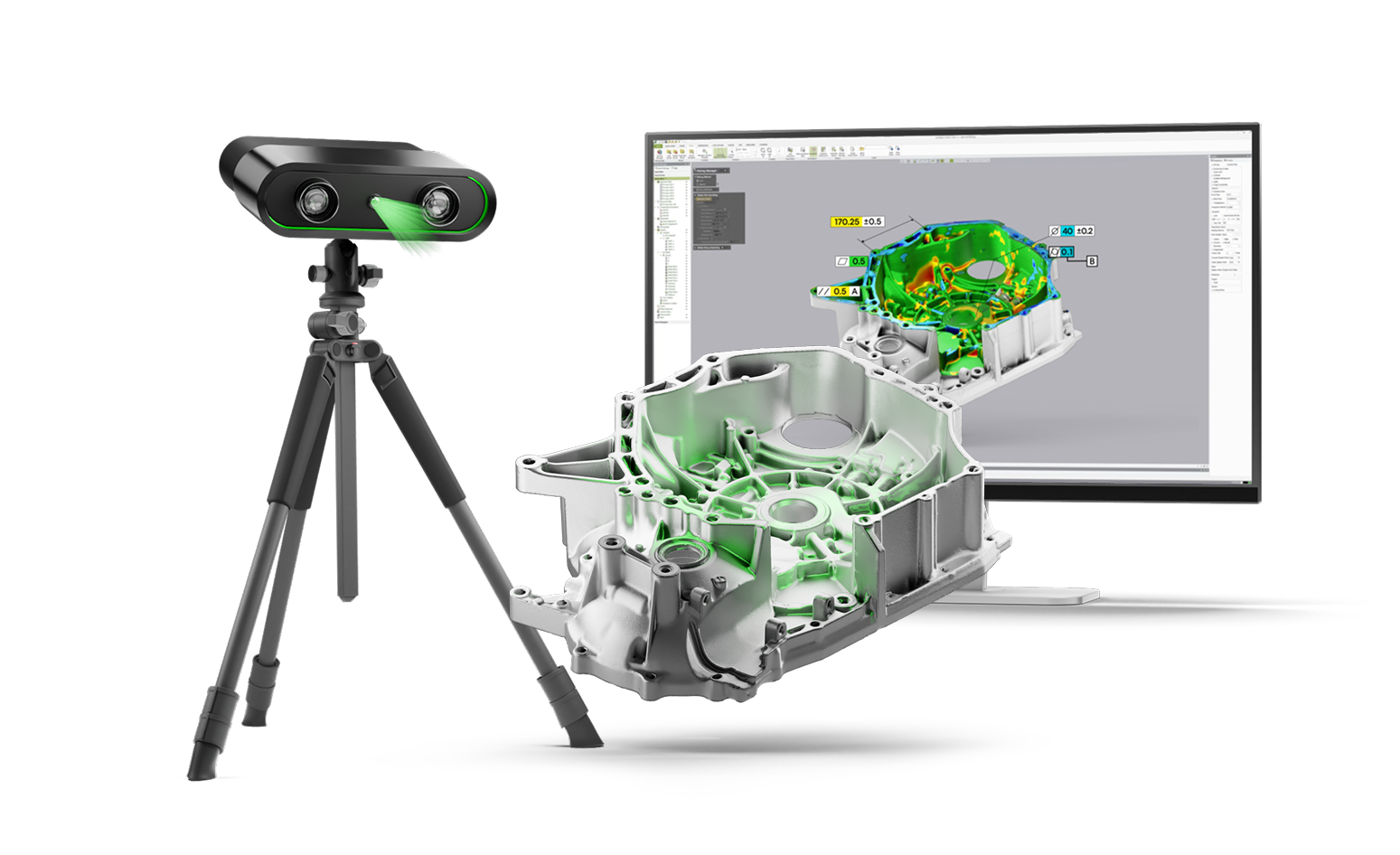
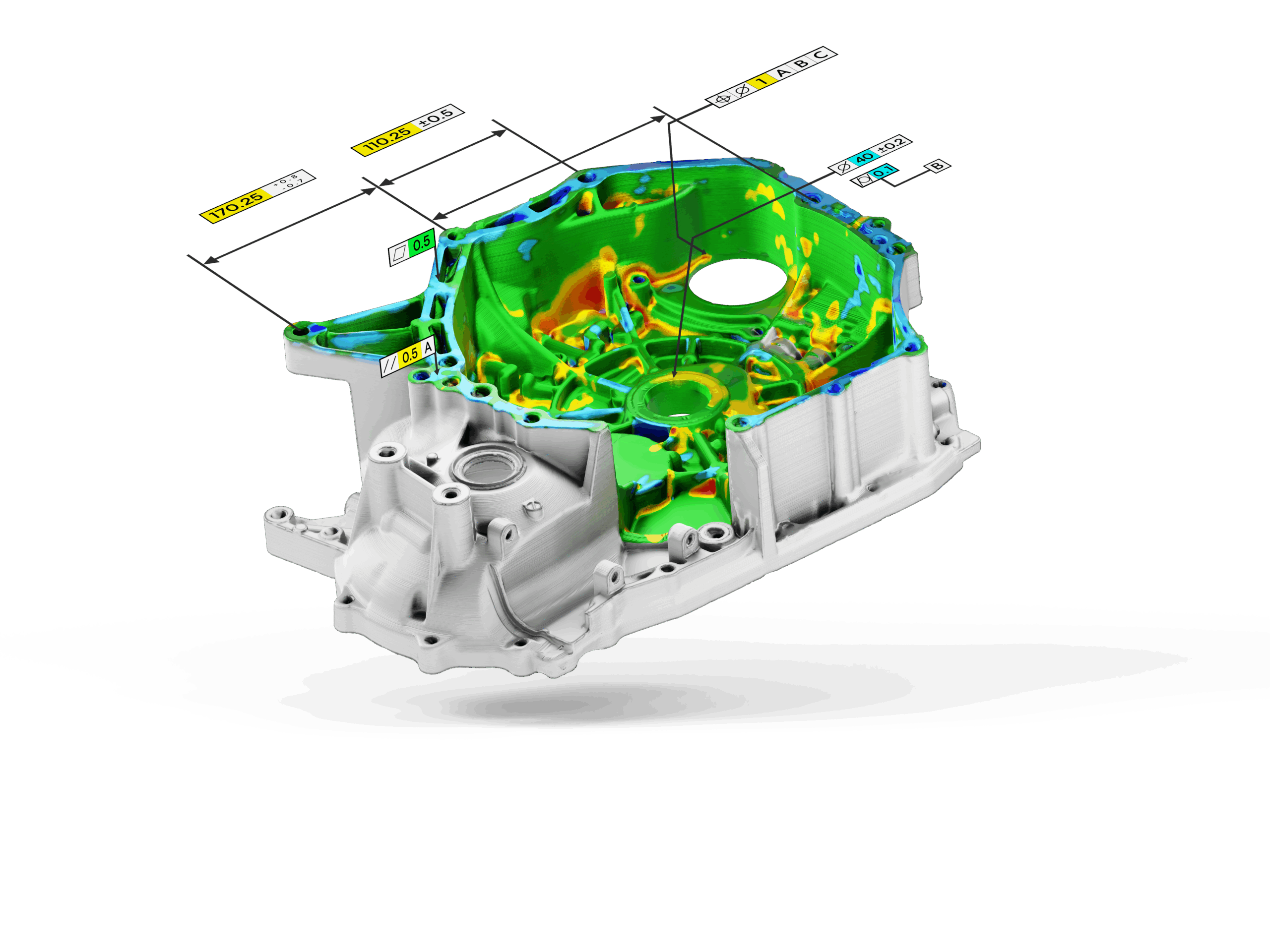
Quickly align scan data to CAD models and visualize deviations with intuitive color maps.

Works seamlessly with any 3D scanner or portable CMM, with native support for leading devices.

Evaluate all geometric tolerances, from size and form to orientation and location, in compliance with industry standards.

Set up inspection routines once and re-use them, enabling fully automated, repeatable inspections for production environments.

Inspect multiple parts or datasets in one run, ideal for high-throughput environments.

Generate detailed, graphical reports tailored to customer, project, or regulatory needs.

Typical Applications

  • First article inspection
  • Production line quality control with automated inspection
  • Deviation & part wear analysis
  • Inspection of blades, airfoils, rotors
  • Sheet metal and casting inspection

Support & Training

Every Control X license comes with access to Hexagon’s global support and training resources. Whether you are setting up basic inspection routines or automating high-volume production checks, the tools are in place to help you succeed.

  • Technical support – Direct assistance via email, phone, or remote connection.
  • Maintenance programs – Stay current with the latest inspection features, performance improvements, and device compatibility updates.
  • On-demand learning – Self-paced eLearning modules covering both fundamental inspection tasks and advanced automation workflows.
  • Instructor-led training – Available onsite, virtually, or at training centers, with courses adapted to your team’s inspection needs.
  • Knowledge base – Access to tutorials, best practices, and case studies designed to help you shorten the learning curve and improve inspection efficiency.

Technical Specifications

  • Input: Point clouds, meshes, CAD with PMI, Live measurements (handheld scanner & measuring arm)
  • Output: Reports (PDF, Excel, HTML), annotated CAD
  • Device compatibility: All major scanners & portable CMMs
  • OS: Windows 10 / 11

Versions & Licensing

Three options – tailored to your inspection needs:

  • Essentials –Core inspection tools for scan-to-CAD comparison, GD&T, and reporting.
  • Essentials Connect –Adds direct connectivity for scanners and portable CMMs.
  • Professional – Full package with automation, batch inspection, and advanced analysis.

Licensing: Available as perpetual or subscription, standalone or network.
Contact us for a free trial of Geomagic Control X