
Reverse engineering
Geomagic Design X
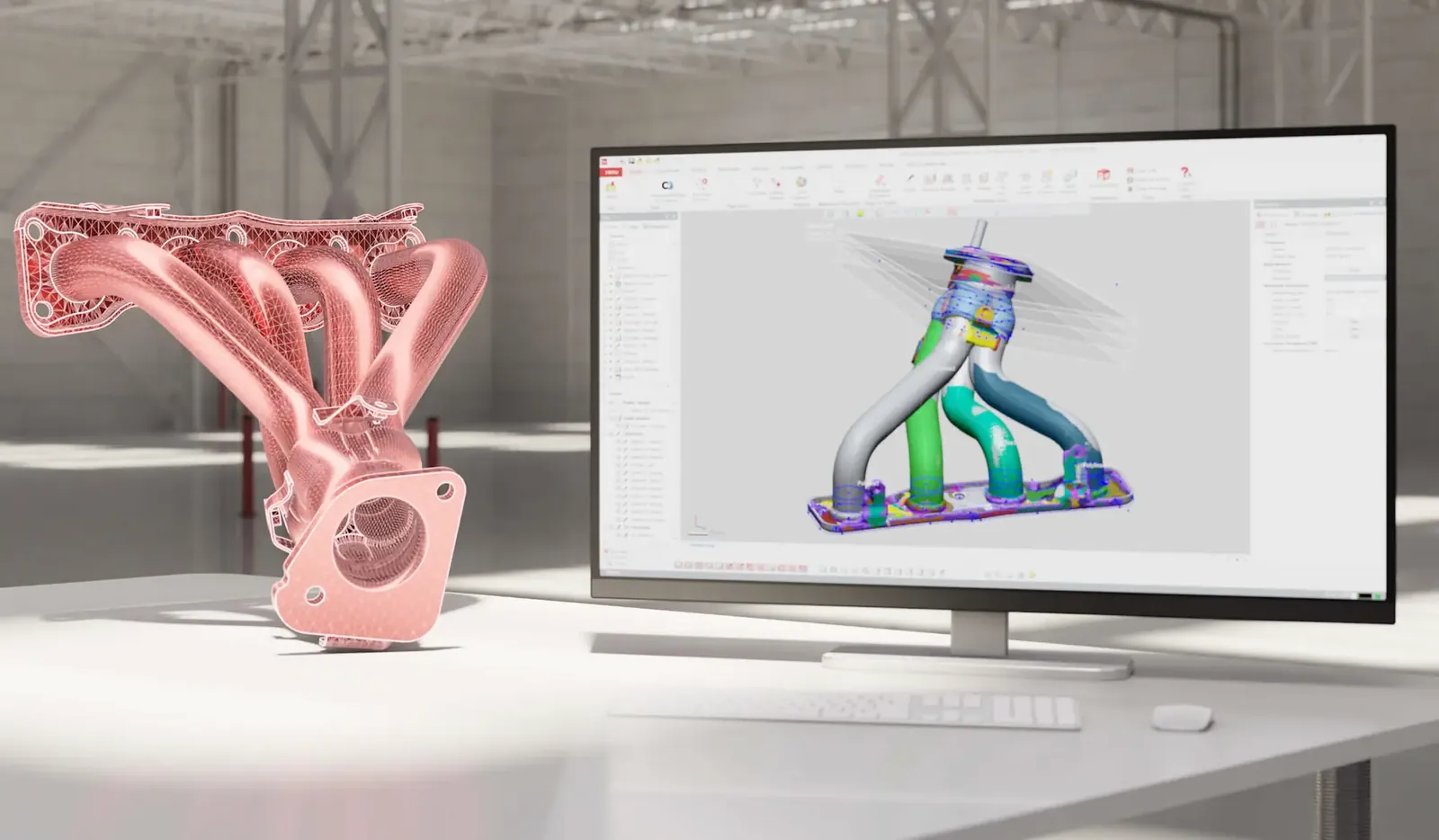
Geomagic Design X gjør 3D-skanninger om til nøyaktige, redigerbare CAD-modeller med parametrisk historikk. Hent data direkte fra skanneren eller bruk skanndata fra hvilken som helst skanner, og overfør modellen til SOLIDWORKS, NX, Creo, Inventor eller AutoCAD med LiveTransfer. Geomagic er i dag en del av Hexagon.
Hva den løser
- Fra skann til CAD – gjør punktskyer og mesh om til parametriske modeller med full konstruksjonshistorikk.
- Fungerer med din skanner – hent data direkte fra skannere eller bruk skanndata fra enhver skanner.
- Sømløs CAD-integrasjon – LiveTransfer sender historikken rett til CAD-verktøyet du bruker, uten filkonvertering.
- Kontroll på nøyaktigheten – sammenlign modellen med skanndataene underveis.
Funksjoner
Egenskaper
Parametrisk modellering fra skann
Bygg modeller med full historikk direkte fra punktsky og mesh.
LiveTransfer
Overfør den parametriske historikken direkte til SOLIDWORKS, NX, Creo, Inventor eller AutoCAD, uten filkonvertering.
Mesh- og punktskybehandling
Rydd, reparer og forfin store mesh- og punktskydatasett før modellering.
Flateoppbygging
Automatisk og selektiv flatedannelse for å tilpasse nøyaktige flater til mesh, både for as-built og idealisert geometri.
Modelleringsveivisere
Veiledede og automatiserte verktøy som trekker ut geometriske former fra mesh.
Accuracy Analyzer
Sammenlign 3D-modellen med skanndata og se avvik i fargekart.
Innretting
Manuell og automatisk innretting av skanndata (Auto Guess, global og fin) og avanserte innrettingsverktøy.
Skannerintegrasjon
Hent data direkte fra skannere og målearmer. Direkte integrasjon med Hexagon, FARO, Scantech og flere produsenter.
Automatisering
Automatiser skanneprosessering og batchbehandling av flere filer.
Flere språk
Grensesnittet finnes blant annet på engelsk, tysk, fransk, spansk, italiensk, portugisisk, polsk, tsjekkisk, tyrkisk, kinesisk, japansk og koreansk.
Bruksområder
- Reverse engineering av eksisterende deler
- Modifikasjon av komponenter uten originaltegninger
- Produksjon av reservedeler
- Verktøy og spesialtilpasset produksjon
- Motorsport og bilindustri
Arbeidsflyt
- Skann delen med skanner eller importer eksisterende skanndata
- Rydd og reparer mesh eller punktsky
- Innrett og del opp i regioner
- Bygg flater og parametrisk geometri
- Overfør til CAD med LiveTransfer
- Verifiser modellen mot skanndata med Accuracy Analyzer
Lisens
Utgaver
Geomagic Design X fås i tre utgaver. Kontakt Precinor for å velge riktig utgave og for tilbud.
Design X Go
Enkel inngang til reverse engineering. Arbeid med skanndata, rediger punktskyer og mesh, basis solid- og flatemodellering, og eksporter parametriske modeller til CAD med LiveTransfer.
Design X Plus
Alt i Go, pluss forbedrede verktøy for kompliserte deler og direkte integrasjon med skannere fra Hexagon, FARO, Scantech og andre.
Design X Pro
Alt i Go og Plus, pluss veiledede og automatiserte veivisere, avansert reparasjon av punktskyer og mesh, omfattende flate- og solidmodellering og avanserte innrettingsverktøy.
Sammenlign utgavene
Sammenlign utgavene
| Funksjon | Go | Plus | Pro |
|---|---|---|---|
| Skannergrensesnitt | ✓ | ✓ | ✓ |
| Skannerplugins og probing | – | ✓ | ✓ |
| Standard mesh-, punkt-, DXF-, CAD- og skannformater | ✓ | ✓ | ✓ |
| Native CAD-formater | – | – | ✓ |
| Mesh- og punktskyreparasjon | ✓ | ✓ | ✓ |
| Avansert mesh- og punktskyredigering med veivisere | – | – | ✓ |
| Manuell og automatisk innretting | ✓ | ✓ | ✓ |
| Avanserte innrettingsverktøy | – | – | ✓ |
| Automatiske regioner | – | – | ✓ |
| Grunnleggende solid- og flatemodellering | ✓ | ✓ | ✓ |
| Avansert solid- og flatemodellering | – | ✓ | ✓ |
| 3D mesh-skisse | – | ✓ | ✓ |
| Auto-skisse og modelleringsveivisere | – | – | ✓ |
| CAD Correct | – | – | ✓ |
| Mesh Fit og Auto Surface | ✓ | ✓ | ✓ |
| Selektiv flatedannelse | – | ✓ | ✓ |
| Exact Surfacing | – | – | ✓ |
| Avviksanalyse | ✓ | ✓ | ✓ |
| Detaljert Accuracy Analyzer | – | ✓ | ✓ |
| LiveTransfer til SOLIDWORKS, NX, Creo, AutoCAD og Inventor | ✓ | ✓ | ✓ |
| Automatisering av skanneprosess og batch | – | – | ✓ |
Kontakt Precinor for pris og lisens.
Kompatibelt utstyr
- Håndholdte 3D-skannere: MARVELSCANATLASCAN MaxATLASCAN Pro
- Målearmer: 7-akset6-aksetCompact
- Skannere og prober: AS1AS1-XLRS5
Relatert programvare
Lisensiering
Lisensform og vilkår avklares med Precinor. Kontakt oss for lisensrådgivning, kjøp, fornyelse eller utvidelse.
Forespørsel
Interessert i Geomagic Design X?
Be om pris, book en demo eller få mer informasjon. En spesialist hos Precinor tar kontakt.
Usikker på om dette er riktig løsning?
Snakk med en Precinor-spesialist.
Vi hjelper deg å vurdere behovet, velge riktig teknologi og planlegge veien videre – uten forpliktelser.